If you own a Bunn coffee maker, you already know it’s a reliable machine for brewing fresh coffee fast. But many people don’t realize that draining your Bunn coffee maker is important for regular maintenance, moving the machine, or storing it. Draining helps prevent mold, mineral buildup, and leaks.
In this guide, you’ll learn step-by-step how to drain your Bunn coffee maker safely and easily—even if you’re not a technical expert. You’ll also find practical tips, common mistakes, and answers to questions people often ask.
Why Draining Your Bunn Coffee Maker Matters
Most Bunn coffee makers have an internal hot water tank that stays full and heated. This is why they brew coffee so quickly. Over time, water left inside can lead to mineral deposits, bacteria growth, or even damage if the machine freezes or leaks. Draining removes stale water and helps keep your coffee tasting fresh. If you’re moving homes, storing the machine, or sending it for repair, draining is essential.
Key Benefits
- Prevents mineral buildup and scale
- Reduces risk of mold or bacteria
- Protects machine from freezing damage
- Makes transport safer (less weight, no leaks)
- Helps with deep cleaning
Types Of Bunn Coffee Makers And Drain Methods
Not all Bunn models drain the same way. Some home machines are simple, while commercial models can be more complex. It’s important to know your model before starting.
| Bunn Model | Draining Method | Difficulty Level |
|---|---|---|
| Home (Velocity, Speed Brew) | Manual upside-down drain | Easy |
| Commercial (CW Series, VPR) | Drain valve or tubing | Moderate |
| Plumbed Models | Water line disconnect and valve | Moderate/Advanced |
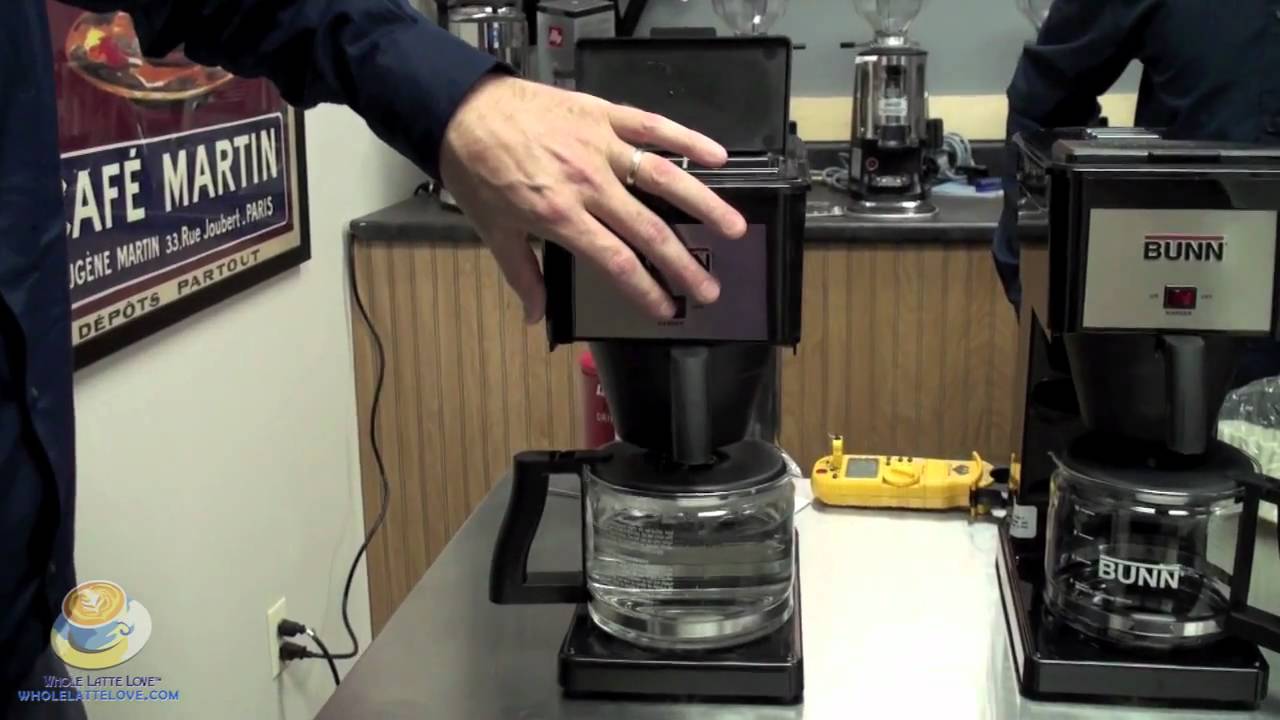
Before you begin, check your machine’s user manual. Most Bunn manuals are available online, and knowing your exact model helps avoid mistakes.
Credit: www.youtube.com
What You Need Before Draining
Draining is simple, but you’ll need a few things:
- Clean towels or rags for spills
- Large bowl or bucket (at least 1.5 gallons)
- Phillips screwdriver (for commercial models)
- Gloves (for safety with hot water)
- User manual for your specific Bunn model
Never try to drain a hot machine—wait at least 45 minutes after unplugging so water cools.
Step-by-step Guide: How To Drain Bunn Coffee Maker
Follow these steps for a home Bunn coffee maker (Velocity Brew, Speed Brew, GR Series):
1. Unplug And Cool Down
Unplug your coffee maker first. Let it sit for at least 45 minutes so the water cools. Hot water can cause burns.
2. Remove The Brew Funnel And Carafe
Take out the brew funnel and carafe. Set them aside.
3. Empty The Water Reservoir
Lift the lid and pour out any water left in the top reservoir. This is just the water you added for brewing—not the water inside the tank.
4. Turn The Machine Upside Down
Place a large bowl or bucket near the coffee maker. Carefully turn the Bunn upside down over the bowl. Water will begin to drain from the spray head opening. Shake gently to help water flow out.
5. Drain Remaining Water
Some water may remain inside. Tilt and shake the machine lightly. Wait until the water stops dripping.
6. Clean Up
Wipe up any spills with towels. Check the machine for remaining moisture before storage or transport.
Example
For a typical home Bunn, draining yields about 1. 3–1. 5 liters (about 45–50 ounces) of water. This is heavy—so always use a sturdy bowl.
Draining Commercial Bunn Coffee Makers
Commercial models (like the Bunn VPR or CW Series) have larger tanks and sometimes a drain valve. Here’s how to drain a commercial Bunn:
1. Unplug And Cool Down
Safety first—always unplug and let cool.
2. Locate The Drain Valve Or Plug
Commercial models often have a drain plug or valve at the bottom, sometimes covered by a panel. Use a screwdriver to remove the panel.
3. Position A Bucket
Place a large bucket under the valve.
4. Open The Valve
Wear gloves and open the drain valve or remove the plug. Water will flow out quickly.
5. Close The Valve And Reassemble
Once drained, close the valve and replace the panel. Wipe up spills.
Example
A commercial Bunn can hold 2–3 gallons (7–11 liters) of water. Don’t use a small container—overflow is messy.
Draining Plumbed Bunn Coffee Makers
Some Bunn machines connect directly to a water line. These are often in offices or restaurants.
1. Shut Off Water Supply
Turn off the water supply valve. This prevents more water from entering.
2. Unplug And Cool Down
As always, unplug and let cool.
3. Disconnect Water Line
Use pliers to disconnect the water line. Place towels underneath to catch any drips.
4. Drain Using Valve Or Tubing
Find the drain valve or tubing (usually near the bottom). Open it to let water flow into your bucket.
5. Reconnect And Clean Up
Once drained, reconnect the water line if needed or leave disconnected for storage.

Credit: www.walmart.com
Common Mistakes And How To Avoid Them
Many people make simple errors that can cause damage or create messes. Here are mistakes to watch for:
- Draining while hot: Always let water cool before draining.
- Using a small container: Use a bucket that can handle at least 1.5 gallons.
- Skipping towels: Spills are common—protect surfaces.
- Forgetting to unplug: Electricity and water don’t mix.
- Not checking for leftover water: Shake and tilt the machine to get all water out.
- Losing screws or panels: Keep removed parts safe.
Practical Tips For Safe Draining
- Label screws and panels: Use a small cup for screws so nothing gets lost.
- Work on a flat surface: Prevent tipping or spills.
- Drain outdoors if possible: Large spills are easier to handle outside.
- Schedule draining every 6 months: This keeps your machine fresh.
Data: How Often Should You Drain Your Bunn Coffee Maker?
Many users wonder how often draining is needed. Here’s a comparison of recommended draining frequency:
| Usage Type | Recommended Frequency |
|---|---|
| Home (daily use) | Every 6 months |
| Office (high volume) | Every 3–4 months |
| Commercial (restaurant) | Monthly |
| Before storage/moving | Each time |
These guidelines help prevent scale and keep your coffee tasting clean.
Signs Your Bunn Coffee Maker Needs Draining
Sometimes, your machine will show signs it needs draining:
- Strange taste: Coffee tastes flat or bitter.
- Reduced speed: Brewing is slower than usual.
- Leakage: Water leaks from the base.
- Odor: Musty smell from the machine.
- Mineral deposits: White buildup near the spray head or tank.
If you notice these signs, draining and cleaning can often solve the problem.
Cleaning After Draining
Draining is only half the job. After the machine is empty, it’s a good time to clean:
- Wipe the brew funnel and carafe with mild soap.
- Clean the spray head—remove and soak in vinegar solution.
- Wipe the outside with a damp cloth.
- For stubborn mineral buildup, use a descaling solution.
Regular cleaning, paired with draining, extends the life of your Bunn and improves taste.
What To Do If Water Won’t Drain
Occasionally, water may not drain easily. Here’s what you can try:
- Check for clogs: The spray head or valve may be blocked. Remove and clean.
- Tilt the machine: Gently tilt side-to-side to help water flow.
- Use compressed air: For commercial models, gently blow air into the tank opening (with machine unplugged and cooled).
- Consult the manual: Some models have hidden plugs.
If these steps don’t help, contact Bunn customer support or visit their official support page.

Credit: www.wikihow.com
Comparison: Draining Bunn Vs Other Coffee Makers
How Does Draining A Bunn Compare To Other Popular Brands?
| Brand | Draining Difficulty | Water Retention | Required Tools |
|---|---|---|---|
| Bunn | Easy to Moderate | High (internal tank) | Bowl, screwdriver (commercial) |
| Keurig | Easy | Low (removable reservoir) | Bowl |
| Mr. Coffee | Easy | Low | Bowl |
| Commercial Espresso | Advanced | High | Wrenches, bowl |
Bunn machines hold more water and require a bit more care, especially for commercial models.
Non-obvious Insights: What Most People Miss
- Hidden water can linger: Even after draining, a small amount of water can stay inside the tank. This can cause odors if the machine is stored for long periods. After draining, leave the machine upside-down for several hours to air-dry.
- Draining before descaling: Always drain before using a descaling solution. This ensures the cleaner works only on fresh surfaces and prevents mixing with old water.
These steps help avoid problems that many beginners overlook.
Frequently Asked Questions
How Long Does Draining A Bunn Coffee Maker Take?
For home models, draining usually takes 10–20 minutes including cooling time. Commercial models may take longer, especially if panels need removal.
Can I Drain My Bunn Coffee Maker Without Unplugging It?
No. Always unplug the machine before draining. Water and electricity are dangerous together.
Is It Safe To Drain My Bunn Coffee Maker Every Month?
Yes. More frequent draining won’t harm the machine and can help prevent buildup. Just follow safety steps.
Will Draining Remove All Mineral Deposits?
Draining removes water, but mineral deposits may stay behind. For full cleaning, use a descaling solution after draining.
What Happens If I Don’t Drain My Coffee Maker Before Storage?
Water left inside can lead to mold, odors, or freezing damage. Always drain before storing or moving.
Taking a few minutes to drain your Bunn coffee maker keeps your coffee fresh and your machine running smoothly. With these steps, you’ll avoid common mistakes and protect your investment. Regular maintenance is the best way to enjoy great-tasting coffee every day.