Your Cosori air fryer is a workhorse — until the display freezes, an error code appears, or it suddenly stops heating. Before you call support or think about a replacement, try a reset. Most Cosori glitches are software or sensor hiccups, not hardware failures. A reset takes less than two minutes, needs no tools, and usually restores normal operation.
A reset does two things: it reboots the control board to clear a temporary error state, and on some models it restores factory defaults. It does not fix a broken heating element, a damaged power cord, or a failing temperature sensor. If the same issue keeps coming back after a reset, that is a sign of a deeper problem. You can also read our guide on how to clean grease from air fryer.
Always unplug the air fryer and let it cool completely before resetting or cleaning it.
Before You Reset: 3 Quick Checks
Do these checks first. They take one minute and can save you from doing an unnecessary reset.
1. Unplug and let it cool. Hot surfaces can trigger safety errors. Wait at least 15 minutes after cooking before resetting. Unplug the unit and press the power button once to make sure the display is fully off.
2. Confirm the basket is seated properly. Many Cosori error messages appear because the basket is not pushed in all the way. Remove the basket, put it back, and press it firmly until you feel it click into place. This alone clears a surprising number of error codes. For more on this, see our guide on frozen cheese sticks in air fryer.
3. Check the outlet and cord. Plug another small appliance into the same outlet. If it does not work either, the outlet or a tripped breaker is the problem. If the fryer works on a different outlet, the original outlet may be overloaded. Air fryers draw high wattage, so plugging directly into a wall outlet is always safer than using an extension cord.
How to Reset a Cosori Air Fryer: 3 Methods That Work
There is no single universal reset procedure across every Cosori model. The method depends on whether you have a standard model, a newer control-panel model, or a smart Wi-Fi model. For more on this, see our guide on best way to air fryer steak.
| Reset method | Best for | What it clears | Time |
|---|---|---|---|
| Power-cycle reset | Frozen display, unresponsive buttons, random errors | Temporary glitch; keeps your saved settings | 1–2 minutes |
| Control-panel reset | Persistent error codes, restoring factory defaults | Custom presets and saved settings | 1 minute |
| App reset | Wi-Fi pairing failures, app connection problems | Saved device connection, not cooking settings | 2–3 minutes |
Method 1: Power-Cycle Reset (Use This First)
This is the safest reset because it works on every Cosori air fryer and does not erase your custom presets.
- Turn the air fryer off and unplug it from the wall.
- Wait at least 60 seconds. If you were cooking, wait until the unit is cool instead of rushing.
- Plug it back into a wall outlet — not a power strip or extension cord.
- Turn the unit on and test the display.
In practice, this clears most minor electrical glitches. If the error code disappears, there is no need to try the stronger reset methods below.
Method 2: Control-Panel Factory Reset
If the power-cycle reset does not clear the problem, the next step is a control-panel reset. On most current Cosori models, this is done with the Start/Pause button.
- With the air fryer plugged in and the display active, press and hold Start/Pause.
- Keep holding it for 5 to 10 seconds. The screen may flash, the unit may beep, or the display may turn off and on.
- Release the button and wait for the fryer to return to standby mode.
A common mistake is holding the button for only one or two seconds — that is not long enough. Some older Cosori models use a different combination, such as holding the center dial or pressing two buttons at once. If this method does nothing on your unit, check your manual before trying other button combinations.
Important trade-off: this reset restores factory defaults. That means your custom temperature presets, saved settings, and Wi-Fi pairing on smart models may be cleared.
Method 3: App Reset for Smart or Wi-Fi Cosori Models
Smart Cosori models connect through the VeSync app. If the fryer works manually but the app will not connect, reset the Wi-Fi connection.
- Open the VeSync app and select your air fryer.
- Tap the settings or edit option and choose Remove Device or Unpair.
- On the fryer, press and hold the Wi-Fi button until the Wi-Fi icon on the display starts flashing.
- Re-add the appliance in the app using pairing mode.
This resets the connection between the fryer and your home network. It does not clear your cooking presets.
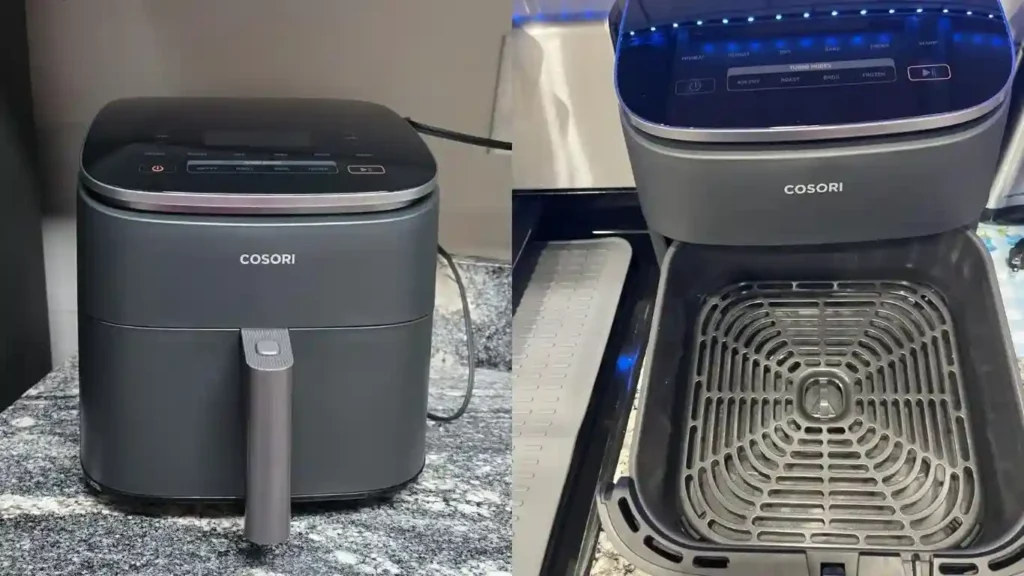
The display flashes or beeps when the control-panel reset is accepted.
Do Reset Steps Differ by Cosori Model?
Yes. The controls you press on a newer TurboBlaze model are not always the same as an older circular Cosori fryer. Some models have a touch panel; others have a center dial; a few older units respond only to unplugging.
The model number is printed on a silver sticker on the bottom or the back of the unit. Write it down before you contact support or search for your manual. A reset performed exactly as the manual describes is always safer than guessing, especially since a factory reset erases your preferences.
Cosori Air Fryer Error Codes That a Reset Can Usually Fix
Cosori error messages fall into three general categories. The exact code varies by model, so check your manual for the precise meaning.
| What you see | Likely cause | What to do |
|---|---|---|
| Basket icon flashing or basket warning | Basket is not fully inserted or the sensor cannot detect it | Remove the basket, reinsert firmly, and reset |
| Overheat / hot warning | The unit got too hot or the vents are blocked | Let it cool for 15–30 minutes, clear crumbs, and reset |
| Numbered sensor or power code | A sensor reading is out of range or the control board failed | Reset once; contact support if it returns |
A reset clears the error flag in the control board. It will not fix a physically damaged sensor, a broken latch, or a blocked fan. If the same code appears again after two reset attempts, stop resetting and contact Cosori support.
Why Your Cosori Air Fryer Might Not Turn On
Sometimes the issue looks like a complete failure when it is actually just a stale error state.
- The display is frozen, not dead. If the screen is lit but unresponsive, a power-cycle reset often fixes it.
- The thermal cut-out tripped. After an overheating event, the fryer may refuse to turn on until it has cooled down.
- The outlet is dead. Test another appliance in the same outlet.
- The power cord is damaged. If the unit worked on another outlet, inspect the cord for visible damage before replacing the fryer.
Do not try to open the base of the air fryer. Inside, it contains high-voltage components, and attempting your own repair can be dangerous. This is not the same as resetting the software — leave the hardware to a qualified technician.
How to Prevent Air Fryer Problems After a Reset
Once the reset works, your goal is to avoid the conditions that caused the error in the first place.
Clean the basket after every batch. Grease build-up is the most common reason an air fryer starts smoking or tripping temperature warnings. You do not need to deep-clean the basket every single time, but a quick wash with warm soapy water after each use makes a big difference. For a thorough maintenance routine, follow the same logic you would use for regular hood maintenance in your kitchen.
Remove debris from the heating element. Crumbs and oil vapour collect around the fan and heating coil over time. If the fan sounds rough or the fryer starts producing smoky smells, power it down, unplug it, and wipe the interior with a damp cloth after it cools.
Respect the maximum fill line. Overloading the basket blocks hot air circulation, which causes uneven cooking and can trigger overheating errors. Leave a little space so air can move around the food.
Give the fryer breathing room. Place it on a flat, heat-resistant surface and leave several inches of clearance on all sides. Do not push it against a wall or tuck it under a cabinet while it is running.
A similar problem can happen with an exhaust hood when airflow gets restricted: a blocked vent makes the appliance work harder and fail faster. The same maintenance mindset applies to any appliance that moves hot air.
When to Contact Cosori Support
If your Cosori air fryer still does not respond after a power-cycle reset, a control-panel reset, and a manual check of the basket, it is time to talk to the manufacturer.
Have these details ready before you call or email:
- Model number from the label on the bottom or back
- Proof of purchase or order number
- The exact error message or code on the display
- Which reset methods you have already tried
The official Cosori support site has a contact form and model-specific guidance. A support representative can tell you whether a repair is worth it or whether replacement is the better option.
Cosori Air Fryer Reset FAQs
How Do I Reset My Cosori Air Fryer Quickly?
Unplug the air fryer, wait 60 seconds, and plug it back in. If the problem stays, press and hold the Start/Pause button for 5 to 10 seconds until the display flashes.
Can Resetting Fix Error Codes on a Cosori Air Fryer?
Yes, resetting clears temporary error flags and can resolve basket warnings, overheating notices, and frozen displays. If the same code returns immediately, the problem is likely hardware-related.
Will Resetting Erase My Cosori Air Fryer Settings?
A power-cycle reset keeps your settings. A control-panel factory reset clears custom presets and restores the default settings. On smart models, an app reset affects only the Wi-Fi connection.
How Often Should I Reset My Cosori Air Fryer?
Only reset when the fryer malfunctions or shows an error message. There is no benefit to resetting it regularly, and a factory reset will erase your preferences each time.
Does Unplugging the Cosori Air Fryer Reset It Safely?
Yes, unplugging for about one minute is the safest first step. It completely powers down the control board and clears temporary memory without changing your saved settings.
Why Won't My Cosori Air Fryer Reset?
The most common cause is not holding the button long enough — hold Start/Pause for the full 5 to 10 seconds. If the unit still will not reset, unplug it, wait two minutes, and try again. If it still fails, contact Cosori support.
Final Thoughts
Resetting a Cosori air fryer is usually the only troubleshooting step you need. Start with a simple power-cycle reset, then move to the Start/Pause factory reset if the error persists. If you own a smart model, reset the Wi-Fi connection in the VeSync app as a separate step.
Before you pay for a repair or order a new air fryer, spend two minutes on this reset. And if you want to keep your kitchen appliances working longer, browse our kitchen maintenance library for more step-by-step troubleshooting guides. Once the error clears, run the fryer empty at 200°C for five minutes to confirm the fan and heating element are working — then get back to cooking.