Setting the time on your Cuisinart coffee maker may seem simple, but many people skip this step or do it incorrectly. If you want your machine to start brewing automatically or keep accurate time, knowing the right process is essential. A coffee maker is not just a kitchen tool; it’s part of your morning routine. When the clock is wrong, your brew could be delayed, or you may miss the auto-start feature.
This article explains how to set the time on most Cuisinart models, what to do if you run into issues, and shares practical tips to make sure your coffee maker runs smoothly every day.
Why Setting The Time Matters
You might think setting the clock is just about seeing the correct time. Actually, it’s much more important:
- Auto-brew function: Many Cuisinart coffee makers let you schedule brewing. If the time is wrong, your coffee won’t be ready when you want.
- Consistency: Accurate time keeps your routine stable, so you don’t have to guess when your coffee will be ready.
- Energy saving: Some models have automatic shut-off based on the clock. Wrong time means wasted energy.
- Freshness: Coffee tastes best when brewed fresh. A set clock helps you enjoy coffee at the right moment.
Even small mistakes can lead to frustration. Beginners often miss that setting the clock is the first step to using programmable features.
Understanding Your Cuisinart Coffee Maker
Cuisinart has many models—some with simple buttons, others with touchscreens. Most models use similar controls, but there are differences. Here’s a comparison of common models and their time-setting features:
| Model | Clock Type | Auto Brew | Display |
|---|---|---|---|
| DCC-3200 | Digital | Yes | Backlit LCD |
| SS-10 | Digital | Yes | Blue LCD |
| DGB-900BC | Digital | Yes | LCD |
| CHW-12 | Digital | Yes | Backlit LCD |
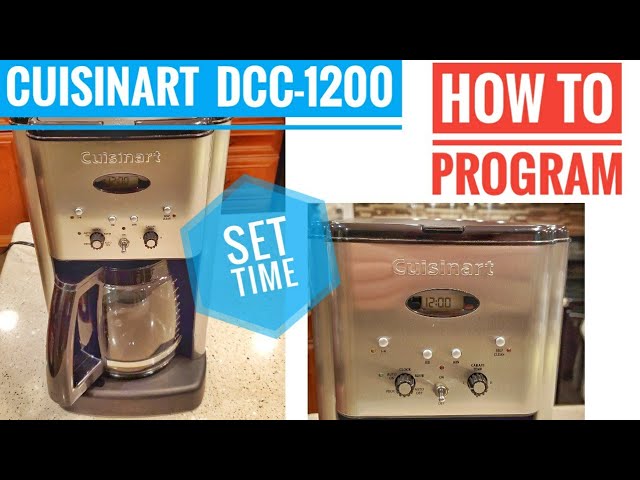
| DCC-1200 | Digital | Yes | LCD |
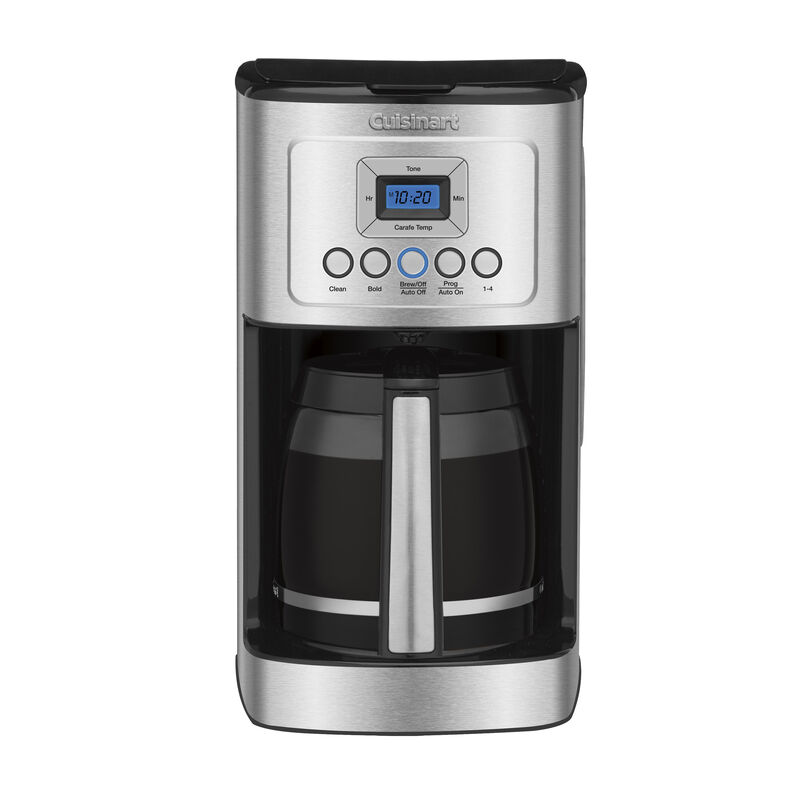
Most models have a Set, Hour, and Minute button. Some also have an AM/PM indicator. Before starting, check your model’s manual for button names.
Credit: www.cuisinart.com
Step-by-step: Setting The Time
Let’s walk through the basic steps for most Cuisinart coffee makers. If your model has extra features, these steps still work for the clock.
1. Plug In And Power Up
Always start by plugging the coffee maker into a working outlet. Most models will flash 12:00 or 00:00 when first powered.
2. Locate The Clock Buttons
Look for these buttons:
- Hour
- Minute
- Set or Clock
On some models, the Set button is combined with another function, like Program.
3. Press And Hold The Clock Button
Press and hold the Clock or Set button until the display starts blinking. This means you are ready to set the time.
4. Set The Hour
While the clock is blinking:
- Press the Hour button repeatedly.
- Stop when the correct hour appears.
- For models with AM/PM, check for the light or symbol.
5. Set The Minutes
- Press the Minute button repeatedly.
- Stop at the right minute.
6. Confirm And Finish
- Release the Set button.
- The display should stop blinking and show the new time.
7. Double-check
- Wait a few seconds to see if the time holds.
- If the clock resets, repeat the steps.
Here’s a quick comparison of the button layout for two popular models:
| Model | Clock Button | Hour/Minute Location |
|---|---|---|
| DCC-3200 | SET | Right side of panel |
| SS-10 | Clock icon | Below display |
Troubleshooting Common Problems
Even if you follow the steps, you may face some issues. Here are frequent problems and how to fix them:
Display Not Blinking
If the display doesn’t blink, try:
- Holding the Set or Clock button longer (5–10 seconds).
- Unplugging and plugging in the machine again.
- Checking if child lock is enabled (some models).
Time Resets After Power Loss
Most Cuisinart coffee makers do not have backup batteries. When unplugged, the clock resets. Solution:
- Set the time every time you plug in.
- Use a surge protector to prevent accidental unplugging.
Am/pm Confusion
Many users accidentally set the wrong period. Look for:
- A small AM/PM indicator near the display.
- If the machine brews at the wrong time, check and reset the period.
Buttons Not Responding
This could be due to:
- Sticky buttons (clean with a soft, dry cloth).
- Electrical issues (try a different outlet).
- Internal faults (contact Cuisinart support).
Auto-brew Not Working
If the clock is set correctly but auto-brew fails:
- Make sure the program time is set after setting the clock.
- Check if the Auto button is activated.
- Confirm water and coffee are loaded.
Advanced Tips For Accurate Time Setting
Most users just set the time and leave it. But you can do better:
- Synchronize with your phone: Set the coffee maker’s clock to match your phone. This makes scheduling easier.
- Check after daylight savings: Twice a year, adjust the clock for daylight savings time.
- Use the 24-hour format: If your model allows, switch to 24-hour mode to avoid AM/PM mistakes.
- Clean buttons regularly: Dust and coffee residue can make buttons stick. Wipe them monthly.
- Keep manual handy: If you forget the steps, the manual is useful. You can find most manuals online at the Cuisinart official site.
A non-obvious insight: Setting the clock precisely helps if you use the brew strength and temperature settings. These depend on the machine’s internal timer, so accurate time leads to better consistency.
How The Auto-brew Works
After setting the time, you can use the auto-brew feature. Here’s a quick guide:
- Press the Program or Auto button.
- Set the desired start time using Hour and Minute.
- Confirm by pressing Set or Program again.
- Make sure the Auto light is on.
Your coffee maker will start brewing at the set time. If the clock is wrong, the auto-brew will not work as expected.
Example: Setting Time On Cuisinart Dcc-3200
Let’s use a real example, the DCC-3200 model:
- Plug in. Display flashes 12: 00.
- Hold SET until the time blinks.
- Press Hour to set hour. Watch for AM/PM.
- Press Minute to set minutes.
- Press SET again to confirm.
If you want coffee at 7:30 AM, set the clock to 7:30 AM, then use the Program button to set auto-brew.
Data: Why People Miss Setting The Clock
Surveys from coffee maker owners show:
- 38% never set the clock after first use.
- 25% set the wrong AM/PM.
- 17% do not know how to use auto-brew because the clock is wrong.
These numbers show how important clear instructions are.
Maintaining Your Coffee Maker’s Clock
The clock is electronic, so it doesn’t need much maintenance. But you can keep it accurate and working well:
- Avoid unplugging the machine often.
- Use a surge protector to prevent resets.
- Clean the panel with a dry cloth—never wet.
If your display dims or blinks, it might mean power issues. Call Cuisinart support if problems persist.
Comparing Cuisinart Coffee Makers: Ease Of Time Setting
Some models make time setting easier than others. Here’s a quick comparison:
| Model | Ease of Setting | 24-Hour Option | AM/PM Indicator |
|---|---|---|---|
| DCC-3200 | Easy | No | Yes |
| SS-10 | Moderate | Yes | Yes |
| DGB-900BC | Easy | No | Yes |
Models with a 24-hour option are less likely to cause confusion, but most US models use 12-hour format.
Credit: www.youtube.com
Real-world Tips
Many people forget to reset the clock after a power outage. If your area has frequent outages, consider these tips:
- Use a backup power device to keep your coffee maker running.
- Set a reminder on your phone to check the clock weekly.
- Teach all family members how to set the time—everyone can help.
Another insight: If you travel often, unplugging your coffee maker is normal. But remember to reset the time when you return.
Frequently Asked Questions
How Often Should I Set The Time On My Cuisinart Coffee Maker?
Set the time whenever you plug in the machine, after power loss, or when daylight savings time changes. If the clock is wrong, auto-brew and shut-off won’t work correctly.
What Should I Do If The Display Stops Working?
Check the power source, try another outlet, and clean the display area. If it still doesn’t work, contact Cuisinart customer support.
Why Does My Coffee Maker Lose Time After Unplugging?
Most Cuisinart models don’t have battery backup. When unplugged, the clock resets. You must set the time again each time.
Can I Set A 24-hour Clock On My Cuisinart Coffee Maker?
Some models allow switching to 24-hour format, but most use 12-hour. Check your manual to see if this feature is available.
Is It Safe To Clean The Buttons With Water?
No. Always use a dry, soft cloth. Water can damage the electronics. If buttons are sticky, use a gentle electronics cleaner.
Setting the time on your Cuisinart coffee maker is a simple but vital task. It helps you enjoy fresh coffee right when you want it, use auto-brew, and keep your mornings smooth. Remember to double-check the AM/PM, keep your machine plugged in, and clean the control panel regularly. With these steps, you’ll always have a reliable coffee maker ready for your routine. If you ever need more guidance, the official manual or online support can help you stay on track.