Skip to content
Many people love the sound of a fresh cup of coffee brewing in the morning, but the loud beeping from a Cuisinart coffee maker can be less welcome. Whether it’s the beep that signals your coffee is ready or the reminder that the machine needs cleaning, these sounds can disrupt quiet mornings, wake up family members, or simply become annoying over time. If you’re searching for ways to silence or reduce these beeps, you’re not alone. This article explores practical methods to stop your Cuisinart coffee maker from beeping, explains why it happens, and offers tips for a more peaceful brewing experience.
Why Does The Cuisinart Coffee Maker Beep?
Cuisinart designs its coffee makers with sound alerts for several reasons. The beeping sound can indicate:
- Brewing is finished
- The coffee maker is turning off automatically
- The water reservoir is empty
- It’s time to clean the machine
These alerts aim to help users, but not everyone finds them helpful. Some people have different schedules, share living spaces, or just prefer less noise.
Understanding Different Cuisinart Models And Beep Functions
Not every Cuisinart coffee maker beeps the same way. Some have customizable sound settings, while others use fixed alerts. Before you try to stop the beeping, it’s important to know your model.
Here’s a quick look at common Cuisinart models and their beep features:
| Model | Beep Customization | Common Beep Types |
|---|---|---|
| DCC-3200 | Yes (can turn off beep) | Brew complete, auto-off |
| DGB-800 | No (fixed beep) | Brew complete, cleaning |
| SS-15P1 | Yes (settings menu) | Brew ready, auto-off, error |
| CHW-12 | No (fixed beep) | Brew complete, hot water ready |
Tip: Check your user manual for specific beep options. If you don’t have the manual, you can often find it on the Cuisinart website.
How To Turn Off The Beep On Your Cuisinart Coffee Maker
Many newer Cuisinart models allow you to disable or adjust the beep. Here’s how to do it for models with this feature:
For Models With A Menu Or Settings Button
- Plug in your coffee maker and make sure it’s ready.
- Press the ‘Menu’ or ‘Settings’ button until you reach the sound or tone option.
- Use the arrow or select buttons to choose ‘Off’ or reduce the beep volume.
- Save your setting by pressing ‘Menu’ or ‘OK’ again.
- Test by starting a brew cycle to check if the beep is gone.
For Models With A Tone Button
Some models have a dedicated Tone or Beep button.
- Hold the Tone or Beep button for about 3–5 seconds.
- Watch for a small light or display change to confirm the beep is off.
- If you want to turn the beep back on, repeat the process.
Note: Not all models have this feature. If your coffee maker doesn’t respond, it may not be possible to turn off the beep through settings.
What If Your Model Doesn’t Allow Beep Control?
Many older or basic Cuisinart models don’t let you turn off the beep. In these cases, you have a few options:
Mute The Beep Mechanically
Some users have had success using a small piece of tape over the speaker hole. This won’t silence the beep completely but can reduce the volume.
- Locate the speaker hole (usually on the underside or back of the unit).
- Place a piece of electrical or duct tape over the hole.
- Test to see if the beep is quieter. Use more layers if needed.
Warning: Never open your machine or tamper with internal wiring. This can be dangerous and void your warranty.
Move The Coffee Maker
If possible, place your coffee maker in a less central location, such as a corner or pantry. Walls and distance can help dampen the beep. This is a simple but sometimes effective method if you can’t adjust the sound directly.
Cover The Coffee Maker At Night
If the beeping mainly bothers you early in the morning, you can drape a thick towel over the machine (when it’s cool and not in use). This muffles the sound. Just remember to remove it before brewing.
Common Beep Alerts And What They Mean
Understanding why your machine beeps can help you avoid unnecessary alerts. Here are the most frequent beep reasons:
| Beep Pattern | Meaning | What to Do |
|---|---|---|
| Single beep after brewing | Coffee is ready | Optional, can be ignored |
| Series of beeps at shutdown | Auto-off activated | Check auto-off settings if needed |
| Rapid beeping during brewing | Error (lid open, no water, etc.) | Check water, lid, filter |
| Five beeps after brewing | Cleaning needed | Run cleaning cycle |
Knowing these patterns can help you respond quickly and prevent repeat alerts.
Resetting Your Cuisinart Coffee Maker
Sometimes, a reset can help if the beeping seems stuck or abnormal. Here’s a general way to reset most models:
- Unplug the coffee maker from power.
- Wait one minute.
- Plug it back in.
- Reset any clock or program settings.
If the beep persists after a reset, check for stuck buttons or errors. Sometimes, a mineral buildup can also cause malfunctions, so regular cleaning is important.
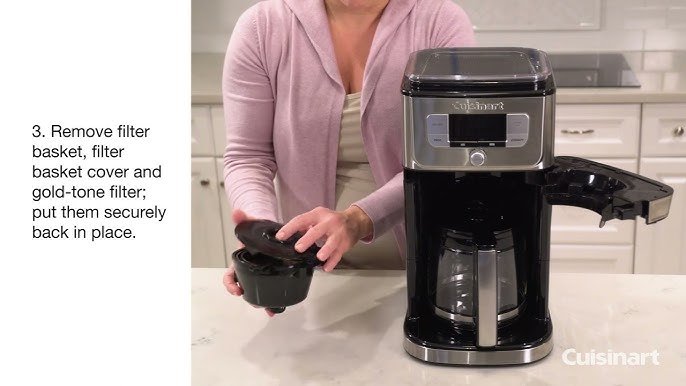
Credit: www.youtube.com
How To Reduce Beep Volume (if Adjustable)
Some Cuisinart models let you reduce, but not fully turn off, the beep. Here’s how:
- Go to the settings or menu section.
- Look for ‘Beep Volume’ or ‘Sound Level’.
- Use the up/down arrows to select Low, Medium, or High.
- Save your changes.
Lowering the volume can make the beep less disruptive, especially if you brew coffee early in the morning or late at night.
Cleaning And Maintenance To Reduce Unwanted Alerts
Many beep alerts are related to maintenance. Keeping your coffee maker clean can help you avoid beeps for:
- Descaling
- Water refill
- Filter replacement
To clean your coffee maker:
- Remove the filter and basket.
- Fill the reservoir with equal parts white vinegar and water.
- Run a brewing cycle (without coffee).
- Rinse by running 2 cycles with plain water.
Clean at least once a month, or more often if your area has hard water. This not only reduces beeps but also keeps your coffee tasting fresh.

Credit: cafely.com
What To Do If The Beep Will Not Stop
If your Cuisinart coffee maker keeps beeping with no clear reason, it may have a fault. Here’s what you can try:
- Unplug and reset the unit (see previous reset steps).
- Check for blockages in the water reservoir and spout.
- Make sure all parts are properly seated (filter, carafe, lid).
- Clean the machine thoroughly.
- If nothing works, contact Cuisinart customer support.
Some issues may need a professional repair, especially if the circuit board or sensor is malfunctioning.
Pros And Cons Of Disabling The Beep
Before you turn off the beeping, consider the benefits and drawbacks:
| Pros | Cons |
|---|---|
| Quieter mornings | May miss important alerts |
| Less chance of waking others | Forgetting to clean or refill |
| Better for shared spaces | No error warnings if beep is off |
Some people prefer to keep at least low-volume alerts, so they don’t miss cleaning or safety messages.

Credit: zve.gca.mybluehost.me
Extra Tips For Coffee Maker Quietness
If you want to make your coffee routine even quieter, consider these suggestions:
- Use a thermal carafe instead of a glass one with a hot plate. This reduces noise from boiling.
- Brew coffee in advance and use a timer, so no one is disturbed.
- Choose models with customizable sound if silence is important.
- If buying a new machine, look for reviews mentioning quiet operation.
When To Contact Support
If you’ve tried all the above and your Cuisinart still beeps in strange ways, it may be time to contact Cuisinart’s customer service. Machines under warranty may be eligible for repair or replacement. You can find support contacts in your manual or visit the official Cuisinart Customer Care page.
Frequently Asked Questions
How Do I Find Out If My Cuisinart Coffee Maker Model Can Turn Off The Beep?
Check your user manual, usually under the settings or programming section. If you don’t have the manual, search for your model number on the Cuisinart website. Some models have a tone or sound option in the menu.
Will Covering The Speaker With Tape Damage My Coffee Maker?
No, covering the external speaker hole with tape won’t damage the machine if you do not block any vents or open the unit. Only use this method to muffle the sound, not silence it completely.
Why Does My Coffee Maker Keep Beeping Even When Not Brewing?
Continuous beeping can signal an error, such as a misplaced carafe, empty water tank, or a clogged filter. Check all components, refill water, and clean the machine. If the beeping continues, try resetting the unit.
Can I Use The Same Steps To Silence Beeps On Other Brands?
Some coffee makers from other brands have similar sound settings, but not all do. Always check the user manual for your specific brand and model. The process can be different.
Is There A Permanent Way To Disable The Beep?
For most Cuisinart models, there is no official way to permanently disable the beep unless the settings menu allows it. Avoid trying to open or modify internal parts, as this can void your warranty and be unsafe.
Finding a peaceful coffee routine is possible, even with a beeping coffee maker. With a few adjustments, you can enjoy your brew without the unwanted sounds. If you’re shopping for a new machine and silence is a top priority, always check for customizable sound options before you buy.