When your microwave suddenly stops turning on, it can be frustrating. This appliance makes cooking and reheating food much easier, so any problem feels urgent. Before you rush to buy a new one or call an expensive repair service, it’s wise to understand why your microwave isn’t powering up.
Many causes are simple and can be fixed at home, while others require expert attention. This guide will help you find the real issue, avoid common mistakes, and decide what to do next.
Common Reasons Your Microwave Is Not Turning On
Microwaves are built with safety and convenience in mind. If yours isn’t powering up, the cause could be anything from a loose plug to an internal failure. Let’s look at the most frequent problems:
1. Power Source Problems
If your microwave shows no signs of life—no lights, sounds, or fan—the power source is the first thing to check. Sometimes, the fix is easier than you think.
- Loose plug: Make sure the microwave’s plug is firmly connected to the wall socket.
- Tripped circuit breaker: Microwaves use a lot of electricity. If the breaker trips, the outlet will have no power. Check your breaker box for any switches that are off.
- Faulty outlet: Plug in another device (like a phone charger) to see if the outlet works. If it doesn’t, try a different outlet.
2. Blown Fuse Inside The Microwave
Microwaves have internal fuses to protect against electrical surges. If a fuse blows, the microwave won’t turn on. Replacing a fuse can be simple if you know how to safely access it, but always unplug the appliance first.
3. Door Switch Failure
Microwave doors have safety switches. If the door isn’t closed properly, or if a switch breaks, the microwave won’t start. Listen for the usual ‘click’ when closing the door. If you don’t hear it, the switch may need replacing.
4. Control Board Or Touchpad Issues
The control board is the “brain” of the microwave. Sometimes, the touchpad or electronic controls stop responding. This can happen after a power surge or simply due to age.
5. Thermal Protector Problems
Microwaves have a thermal protector to prevent overheating. If this part fails, it cuts power to the appliance for safety. This is less common but possible, especially in older microwaves.
Step-by-step Troubleshooting Guide
A practical approach can save you time and money. Here’s how to check your microwave:
Check The Power Source
- Unplug the microwave and plug it back in firmly.
- Test the outlet with another device.
- Inspect your home’s circuit breakers for any that are tripped. Reset if needed.
- Try plugging the microwave into a different outlet.
Inspect The Door
- Open and close the door several times. Listen for the click.
- Look for any visible damage to the latch or hinges.
- If the door feels loose or doesn’t close properly, you may need to replace the switch.
Test The Fuse
- Unplug the microwave.
- Remove the outer cover (usually requires a screwdriver).
- Find the fuse (usually near where the power cord enters).
- Check if the fuse looks burnt or broken.
- Replace with a fuse of the same rating, if needed.
Review The Control Panel
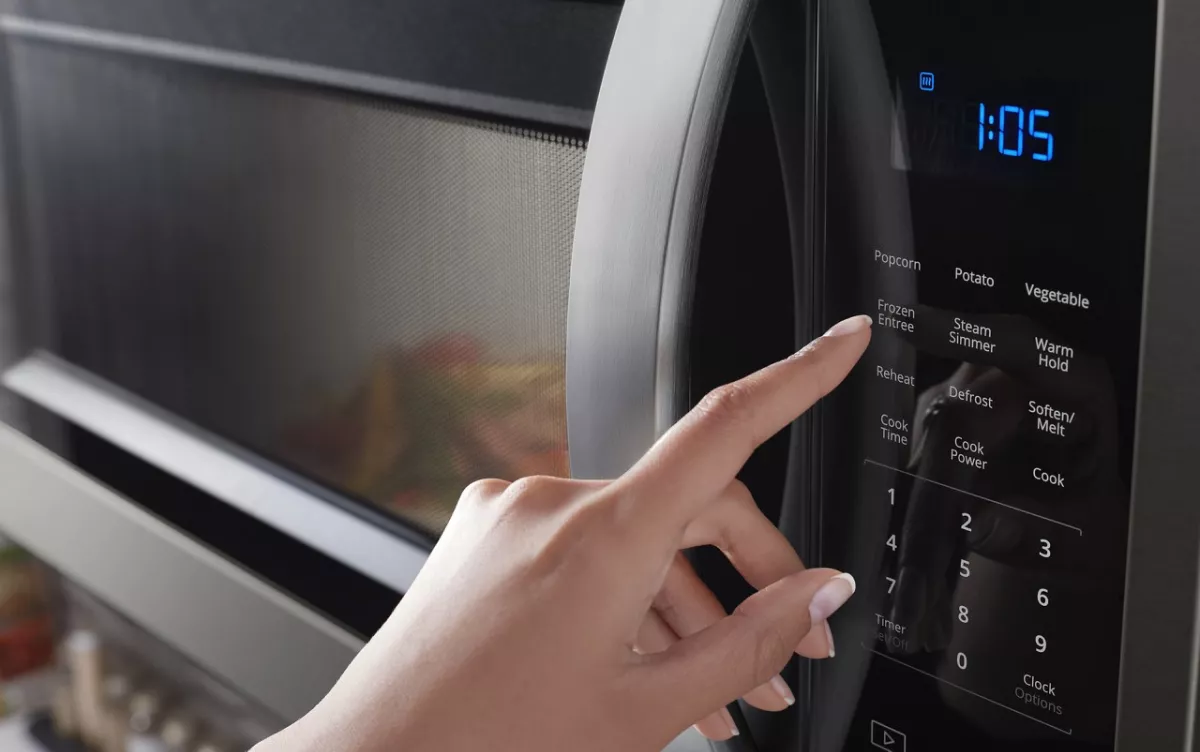
- Check if the display lights up or responds to touch.
- If the touchpad is unresponsive, try resetting the microwave by unplugging it for a minute and plugging it back in.
- If still unresponsive, the control board may need professional repair.
Understand When To Call A Professional
Some repairs, like replacing the control board or fixing internal wiring, can be dangerous. If you’re unsure, it’s best to contact a certified technician.

Credit: saudimadad.com
Comparing Microwave Problems: Simple Vs. Complex
Sometimes, it’s hard to know if the issue is easy to fix or requires expert help. Here’s a comparison:
| Problem | DIY Fix? | Requires Technician? | Risk Level |
|---|---|---|---|
| Loose Plug / Outlet | Yes | No | Low |
| Blown Fuse | Yes (with care) | No/Yes | Medium |
| Door Switch Failure | Yes (simple switch) | Yes (complex) | Medium |
| Control Board Failure | No | Yes | High |
| Thermal Protector Issue | No | Yes | High |
Safety Tips For Microwave Repairs
Microwaves have dangerous parts, like the high-voltage capacitor. Even when unplugged, these parts can hold electricity.
- Always unplug before opening.
- Do not touch internal components unless you know what you are doing.
- Use insulated tools if you must replace a fuse.
- Wear rubber gloves for extra protection.
- If you see any burning smell or smoke, stop and call a professional.
Signs You Need A New Microwave
Not every problem is worth fixing. Here are signs it’s time to replace your microwave:
- Age over 8 years: Most microwaves last 7–10 years. Older ones are less efficient and may not be safe.
- Repeated failures: If you keep fixing the same issue, it’s probably time for a new unit.
- Repair cost exceeds $100: Many new microwaves cost less than this.
- Visible damage: Cracks, rust, or broken parts are dangerous.
- Unusual sounds or smells: These can mean internal damage.
Real-world Examples
Let’s look at how people solved their microwave issues:
- Case 1: Maria’s microwave stopped working after a storm. She checked the breaker and found it had tripped. Resetting the breaker solved the problem.
- Case 2: John’s microwave wouldn’t turn on, even though the outlet worked. The internal fuse was burnt. He replaced it, and the microwave worked again.
- Case 3: Emily’s microwave was totally dead. After checking everything, she learned the control board was faulty. A technician quoted $150 for repair, so she bought a new microwave for $90.
Data: Microwave Lifespan And Repair Costs
Here’s some useful data about average microwave lifespan and repair costs:
| Microwave Type | Average Lifespan (years) | Typical Repair Cost ($) |
|---|---|---|
| Countertop | 7–10 | 60–120 |
| Over-the-Range | 8–12 | 100–200 |
| Built-In | 9–13 | 150–300 |
Common Mistakes When Troubleshooting
Many people make simple errors that waste time or money.
- Ignoring the power source: Always check the outlet and breaker first.
- Not unplugging before repairs: This is dangerous.
- Using the wrong fuse: Always match the fuse rating.
- Forgetting about warranties: Some repairs are free if your microwave is still under warranty.
- Trying advanced repairs without experience: Internal parts can be risky.

Credit: www.youtube.com
When Warranty Can Help
If your microwave is less than one year old, most brands offer a warranty. Check your manual or the manufacturer’s website for details. Repairs may be free or discounted.
How To Prevent Microwave Problems
Regular care keeps your microwave running longer.
- Clean the inside regularly to prevent food buildup.
- Avoid slamming the door.
- Don’t overload the microwave.
- Keep the vents clear.
- Use surge protectors to guard against power spikes.
Quick Comparison: Repair Vs Replacement
Should you repair or replace your microwave? Here’s a simple comparison:
| Factor | Repair | Replacement |
|---|---|---|
| Cost | Usually $60–$150 | $80–$300 |
| Time | 1–7 days | Same day |
| Warranty | Depends | New warranty |
| Safety | May be risky | Safe |
| Longevity | Varies | Full lifespan |
Non-obvious Insights You Should Know
Many beginners miss these points:
- Even if a microwave is unplugged, the capacitor can hold enough electricity to shock you. This is why DIY repairs are risky.
- If your home has frequent power surges, your microwave may fail sooner. A surge protector is a smart investment.
- Some microwaves have a reset button hidden on the back or underneath. Check your manual for details.
Credit: www.whirlpool.com
Frequently Asked Questions
Why Does My Microwave Suddenly Stop Working After A Power Outage?
Power outages can trip breakers or damage internal parts. Always check your breaker first. If the microwave still doesn’t work, the power surge may have damaged the control board or fuse.
Is It Safe To Replace A Microwave Fuse Myself?
If you have basic DIY skills and follow safety steps, you can replace a fuse. Always unplug the microwave and use insulated tools. If you are unsure, call a technician.
How Do I Know If The Door Switch Is Broken?
If the microwave doesn’t start when the door is closed, or if you don’t hear the usual click, the switch may be faulty. Some models show a “door” error on the display.
Should I Buy A New Microwave Or Repair My Old One?
If your microwave is old, repair costs are high, or it has repeated failures, it’s better to buy a new one. If the issue is simple and the unit is young, repair may be worth it.
Where Can I Find Reliable Information About Microwave Safety?
For official safety guidelines and troubleshooting tips, visit the Consumer Product Safety Commission.
Microwaves are essential kitchen appliances, but when they stop working, it’s important to approach the problem calmly and safely. Most issues can be solved by checking the power source, inspecting the fuse, and reviewing the door switch. However, for internal or complex problems, professional help is best.
Remember to consider the age and condition of your microwave before spending money on repairs. By following these tips, you’ll save time, avoid risks, and make the best decision for your kitchen.