A blinking red light on your smoke detector can be confusing, and sometimes even worrying. Many people wonder if it means there’s danger, or if their smoke alarm is malfunctioning. The truth is, there are several reasons why your smoke detector might blink red.
Understanding these reasons can keep your home safe and reduce unnecessary stress.
In this article, you’ll learn what a red blinking light means, how to respond, and when to take action. We’ll also cover the most common types of smoke detectors, troubleshooting steps, and mistakes to avoid. If you want to keep your home safe and avoid false alarms, read on.
What Does A Blinking Red Light Mean?
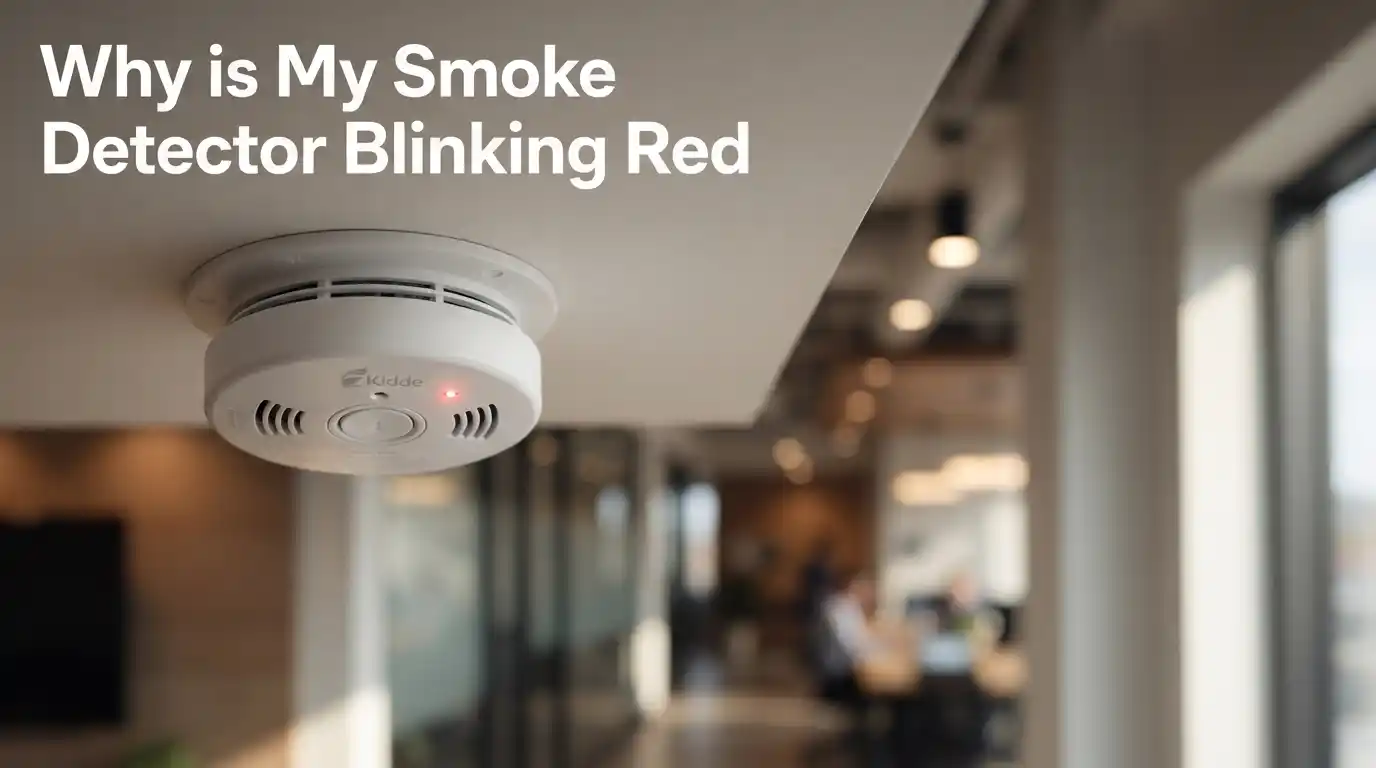
The blinking red light on a smoke detector usually has a specific purpose. Smoke detectors use light signals to communicate their status. But the meaning of the red blink can change depending on the brand, model, and situation.
Most commonly, a blinking red light means:
- The detector is working and has completed a self-test
- The alarm was recently triggered (by smoke or dust)
- The battery is low or needs to be replaced
- The device needs maintenance or has reached the end of its life
It’s important to check the user manual for your specific model. If you don’t have the manual, most manufacturers have online versions. The blink pattern (how often it blinks) can also give clues. For example, a slow blink every 30–60 seconds often means normal operation, while fast blinking could signal a problem.
Common Types Of Smoke Detectors And Their Signals
Not all smoke detectors are built the same. Some use ionization technology, some use photoelectric technology, and some are combination units. The blinking signals can be a little different for each.
Here’s a comparison of how different types of smoke detectors typically use their red lights:
| Type | Red Light Meaning | Typical Blink Rate |
|---|---|---|
| Ionization | Power/Normal operation, alarm memory | Every 30–60 seconds |
| Photoelectric | Power/Normal operation, maintenance needed | Every 30–60 seconds |
| Combination (Smoke & CO) | Normal, alarm memory, end of life | 30 seconds to 1 minute, or rapid flashing |
Non-obvious insight: Some high-end models use a green light for normal operation and a red light only for alerts or errors. If your unit’s light changes color, don’t ignore it.
Main Reasons For A Smoke Detector Blinking Red
1. Normal Operation (standby Mode)
Many smoke detectors blink red every 30 to 60 seconds to show they are getting power and working properly. This is called the standby indicator. It’s nothing to worry about unless you see other warning signs (like a constant beep or fast blinking).
2. Alarm Memory
After a smoke event (like burnt toast), some detectors continue to blink red every 10 seconds or so to show they were recently triggered. This is called alarm memory. It helps you know if smoke was detected while you were away.
3. Low Battery Warning
If the battery is running low, most smoke detectors alert you with a blinking red light and a chirping sound. The blink rate is often faster (every few seconds). Change the battery as soon as you see this to stay protected.
4. End Of Life Or Device Error
All smoke detectors have a limited lifespan, usually 7–10 years. When they reach the end, they may blink red rapidly or show a different pattern. Some may combine this with a beep. Replace the unit if this happens.
5. Maintenance Needed (dust Or Malfunction)
If the unit senses dust or a fault, it might blink red and give an error code through beeps. Cleaning the device or checking the manual for troubleshooting is important here.
Non-obvious insight: Sometimes, a power surge or battery change can cause a detector to enter a test mode, making the light blink rapidly for a short time.
How To Troubleshoot A Blinking Red Smoke Detector
If you see a blinking red light, don’t panic. Follow these steps to figure out what’s happening:
- Check the Blink Pattern
- Slow blink (30–60 seconds): Usually normal.
- Rapid blink: Check for error or low battery.
- Steady red: Possible smoke detected or device fault.
- Listen for Sounds
- Chirping: Low battery.
- Constant beep: Emergency or malfunction.
- Check the Battery
- Replace with a new battery if in doubt.
- Make sure the battery is installed the right way.
- Clean the Detector
- Use a vacuum cleaner or soft brush to remove dust.
- Avoid spraying cleaners or water directly on the unit.
- Press the Test Button
- Most detectors have a test button. Hold it for a few seconds to check if the alarm works.
- Look for Age or Expiry Date
- There’s usually a sticker with the manufacture or expiry date.
- Replace if the unit is over 10 years old.
- Check the Manual
- Each brand can have unique signals.
- If you lost the paper manual, search for the model online.
Popular Smoke Detector Brands And Their Red Light Signals
Brands often have slightly different rules for their indicator lights. Here’s a quick comparison of some popular models:
| Brand | Normal Blink | Low Battery Signal | End of Life |
|---|---|---|---|
| Kidde | Red blink every 30–40 sec | Red blink + chirp | Red light + beep every 30 sec |
| First Alert | Red blink every 60 sec | Red blink + chirp | Red blink + “end” beep |
| Nest Protect | Green/blue light, red only for alerts | App warning + light | App and device alert |
Practical tip: If your house has different brands or older units, label them with install dates and keep the manuals handy.
When To Worry About A Blinking Red Light
Most of the time, a slow blinking red light is normal. But you should take action if:
- The detector is beeping or chirping
- The red light is blinking rapidly (every few seconds)
- The light is steady red and won’t turn off
- The device is more than 7–10 years old
- There is visible smoke or unusual odors in the room
If you ever hear a loud, continuous alarm and see a solid red light, exit your home and call emergency services. Don’t ignore warning sounds, even if you think it’s a false alarm.

Credit: www.wikihow.com
How To Keep Your Smoke Detectors Working
Proper maintenance can prevent false alarms and make sure your detectors protect you when needed.
Here are some key habits:
- Test your alarms every month using the test button.
- Replace batteries at least once a year (or when you hear chirping).
- Clean the units regularly to remove dust, spider webs, and debris.
- Replace all detectors every 7–10 years, even if they seem fine.
- Don’t paint over detectors or block them with decorations.
- Install detectors in every bedroom, hallway, and on every floor.
If you live in a large house, consider interconnected smoke alarms. When one goes off, all will sound, giving everyone more time to escape.
Common Mistakes To Avoid
Many people make simple mistakes with smoke detectors. Here are some to watch out for:
- Ignoring a blinking red light without checking the manual
- Delaying battery replacement after the first chirp
- Not testing alarms monthly
- Forgetting to replace detectors after 10 years
- Placing detectors too close to kitchens or bathrooms (causing false alarms)
- Not cleaning the units, leading to dust build-up and malfunction
Non-obvious insight: Some people remove the battery after a false alarm and forget to replace it. This leaves the home unprotected. Always reinstall or replace the battery right away.

Credit: preparedhero.com
Real-life Examples And Data
According to the National Fire Protection Association (NFPA), about 3 out of 5 home fire deaths happen in homes with no smoke alarms or non-working alarms. In most cases, the problem is missing or disconnected batteries. Regularly checking your smoke detectors, especially when you notice a blinking red light, can save lives.
A study showed that smoke alarms reduce fire death risk by 55%. But only if they are working. That’s why understanding signals like a blinking red light is so important.
How To Reset A Smoke Detector After The Red Light Blinks
Sometimes, the blinking red light stays on even after you change the battery or fix the problem. In these cases, try resetting the unit:
- Turn off power to the detector (for hardwired units, use the circuit breaker).
- Remove the detector from its base.
- Take out the battery.
- Hold the test button for 15–20 seconds to clear any memory.
- Reinstall the battery and remount the detector.
- Turn the power back on.
If the red light keeps blinking rapidly or the unit beeps, it may need to be replaced.
How To Choose The Right Smoke Detector
Choosing the right smoke detector can make signals clearer and reduce confusion.
Here are the main types and their pros and cons:
| Type | Best For | Drawbacks |
|---|---|---|
| Ionization | Fast, flaming fires | More false alarms from cooking |
| Photoelectric | Slow, smoldering fires | Slightly slower for fast flames |
| Combination | All fire types, CO leaks | More expensive |
Experience-based tip: If your home has both smoke and CO risks (like a fireplace or gas appliances), a combination detector is the best choice.
When To Call An Electrician Or The Fire Department
Most smoke detector problems can be fixed with new batteries or cleaning. But call a professional if:
- The red light is steady and the alarm sounds with no clear reason
- You smell burning or see smoke, but no fire is found
- The detector won’t reset after troubleshooting
If you ever feel unsafe or unsure, call your local fire department. It’s better to be safe than sorry.
For more technical details, visit the U.S. Fire Administration.
Frequently Asked Questions
Why Does My Smoke Detector Blink Red But Not Beep?
Usually, a slow red blink means normal operation. If there’s no beeping, the detector is likely working fine. Check the manual to confirm for your model.
How Often Should I Replace The Battery If The Red Light Blinks?
Replace the battery as soon as you notice chirping or a faster red blink. Even if you don’t hear a chirp, it’s smart to change batteries every year.
Can Dust Cause My Smoke Detector To Blink Red?
Yes. Dust and debris can block the sensors and cause error signals, including a blinking red light. Clean your detector regularly to prevent this.
Is A Blinking Red Light Dangerous?
Not always. Most of the time, it’s just a status indicator. But if the red light is steady or very fast and the alarm sounds, treat it as a real emergency.
What Should I Do If I Lost The Manual For My Smoke Detector?
Search for the brand and model online, or visit the manufacturer’s website. Most companies provide free digital manuals for all recent models.
A blinking red light on your smoke detector is your device’s way of talking to you. Learn its language, check your manual, and take action when needed. This small habit can make a huge difference in keeping your family safe.